Codebase context engineering - Or why we built our own boilerplate

Non negotiables
At the time writing those lines, there is a consensus emerging: left alone, agents are not capable of writing maintainable code.
All the wrong technical choice they will make will compound to a flaky codebase with more bugs than their human counterpart would produce.
It will also feel "off", showing that subtle choices in the coding art matter to craft a codebase that "feels good". Which matters, as not all tasks can be handled by agents alone: humans will still have to get their hands dirty. If they can't get a grasp of the codebase, the time gained will evaporate quickly.
The models definitely still make mistakes and if you have any code you actually care about I would watch them like a hawk, in a nice large IDE on the side.
Andrej Karpathy
Hence why thorough code reviews are still considered necessary for now. But code reviews are expensive, thus improving the quality and readability of the agent's outcome is paramount.
At Lonestone, we work for a multitude of clients, and while we automate more and more the coding process, the complexity of those projects still require major human involvement. And as we plan to maintain those projects for a long time, there is no way for us to just "not care" about a codebase maintainability.
We needed a way to ensure our agents were producing code with a quality on-par to what we were doing before (or better). Which meant sacrificing some speed compared to some "vibe coders" out there, but that was not-negotiable.

So we took a step back, and drafted a plan. A plan that focused on "codebase context engineering" as its core: the more deterministic you can be, the better output you will get.
It also needed to be as simple to maintain as possible. So here's the story of how we ended up creating our own boilerplate.
Yes, agents can produce quality output, given the right tools
While we can all agree than LLMs are by no-means perfect, I feel that a lot of criticism around "vibe coding" is missing an essential point:
"Vibe coding" does not have to lead to bad and hard to maintain code, if you provide a strong and adequate playground to your agents.
The tale that LLMs could only produce badly crafted code was reassuring for a while — good for our egos — but does not hold up anymore. My recent experience has been the opposite: "AI assisted engineering" (in contrast to "vibe coding") can lead to well crafted and documented code, as long as you do not throw tasks beyond their capabilities (which evolve every week).
There is no doubt that LLMs can fall flat on complex tasks, but most of our day to day work is much more mundane. I've said that before, once you start treating LLMs like polyglot junior devs who can't learn (poor long term memory, no real problem solving or vision) but can execute fast — and you start building a framework to work around those limitations — you stop sacrificing quality for velocity.
Onboarding agents is like any onboarding
Imagine you are onboarding a new junior dev in your team.
What do you think impact their productivity the most? What can you provide to ensure they start delivering right away? And what do you put in place to ensure that their output is matching your expected quality bar?
From my experience, the most important criteria are:
- a logically structured codebase, with files at the right place, with the right name. A codebase that feels easy and natural to explore ;
- technology and framework that fits the project, reduce cognitive load via typing and good api, and are well documented ;
- a concise yet complete, up to date documentation ;
- clear processes and rules, with the right tooling to ensure those are respected ;
- and lastly, a good amount of examples (e.g. existing code) that shows the expected code more fully than linter rules and documentation could
Usually, the new recruit will use "copy and paste" approach first: they are tasked to create a new dashboard page? They check the documentation, the existing pages, the existing components and file structure, the existing API calls, and they mimic that.
Sure, they won't improve the codebase with this approach, but at least that ensures consistency and makes code reviews faster and more reliable, as the reviewer knows what to expect and can spot drifts faster.
The goal of "codebase context engineering" is to bake as much rules directly in the code structure, the language and other deterministic tools, reducing uncertainty and distilling your team coding taste and thereby decrease the amount of prompting and custom rules you have to maintain (e.g. instead of explaining what a good Nest.js module looks like, you provide a good one and point at it in the doc).
In this article, I'll cover those 5 criteria and present our solution we chose at Lonestone.
I. Structure goes a long way
I'm going to be honest here: I never start by reading the README.md when exploring an existing project.
I usually start poking right away at the code. Checking the folder structure, the naming scheme and organisation. Is the frontend organised by feature, or using atomic design? Is this a monorepo, are there some shared code around?
Why? Because checking the file structure is like checking a house: you can see if the previous owner took care of its home.
A crooked door there, some mold on the walls: all those signs tell you to go check the roof and the electricity circuit. Lack of care often spread to everything.
On the contrary, I often encounter codebase that just "feel right". Files and features are where they should be. That means the previous developers had taste, and my trust in their work, down to the smallest method, improves by a lot.
Providing a tasteful structure to your agents distill some of your taste into their work, and enables copy/paste driven development. It removes choices from the agents, which is always a good thing (also applies to your teammates). Determinism wins, again.
Importantly, it makes reviews easier, as you will quickly spot a wrongly placed component or module, or a file that feels off within the project's structure.
Take your time tailoring your structure to the project's need. Do not rush into it, do not ask your agent to put down a structure for you: be active in this process. If you already have a proven structure in a previous project, re-use that (as you will see, re-use of tools and processes will be a common theme here).
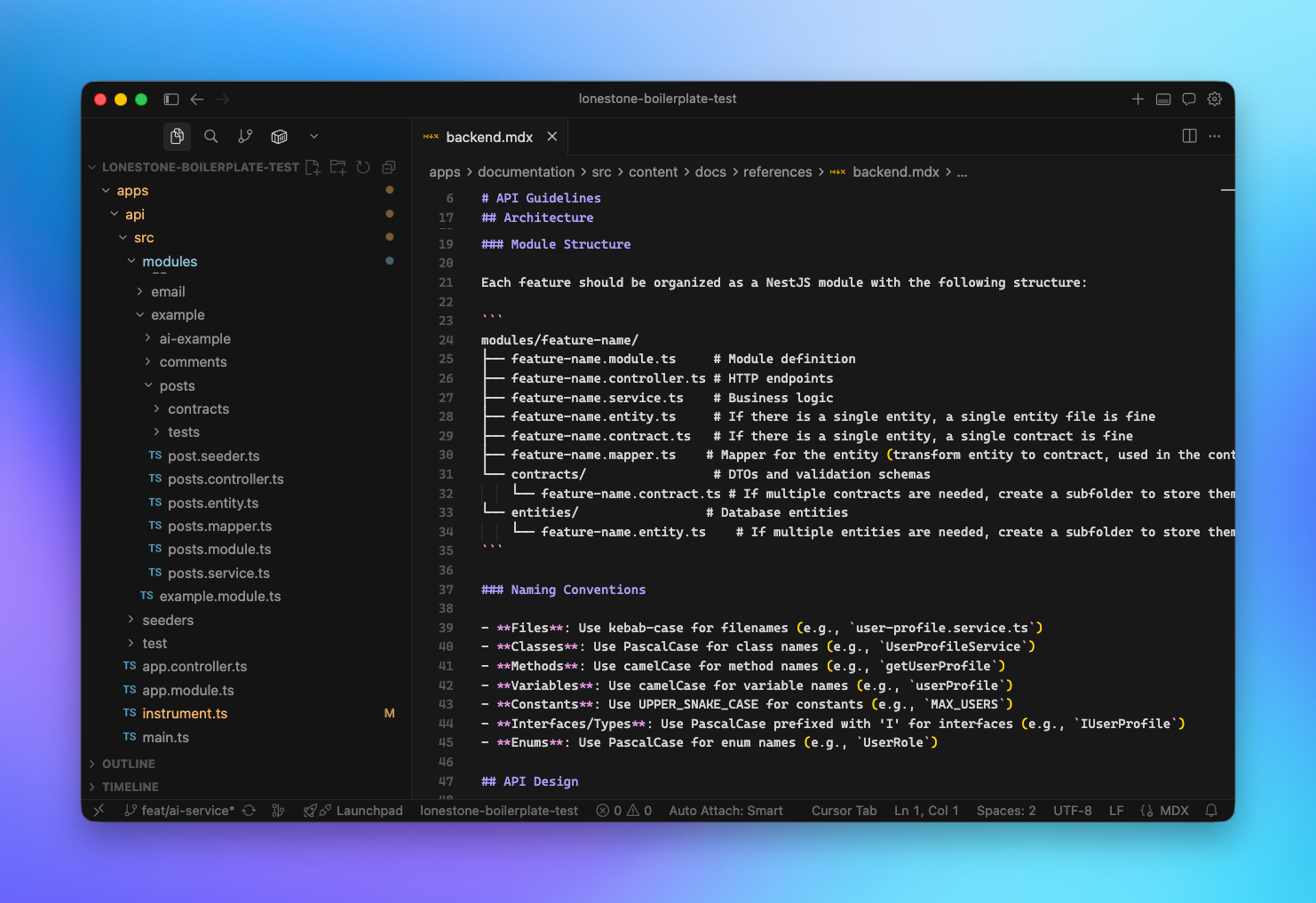
For our Boilerplate, the code structure is documented for both backend and frontend projects.
Historically, this strict structure has helped our developers switch from one project to another. Now, with agents, it also helps us create skills and rules that can be applied to all the projects using the boilerplate, instead of "one-shot", "pre project" skills.
II. Technology and frameworks are still key choices
Nest.js is not a unique case: the right choice of languages, tech, framework and tools can improve the quality and speed of your agents probably even more than for your human colleagues.
This is true for several reasons:
Reducing errors (enabling a strong feedback loop)
Strongly typed language like Typescript are great for LLMs, allowing them to spot mistakes faster, Rust being another big contender.
In general, the stricter the language, the less custom rules and checks you'll have to write. It's context engineering, bundled into the tech.
Your linting rules are also important. They can spot code smell faster and more reliably than you could during a review, while easing up the review process (a nicely written code has always been easier to read, nothing new here).
And again, your linter rules are deterministic. No need to write long RULES.md files when you can have 3 lines of eslint.config. It will also help you save context.
Our boilerplate uses Typescript everywhere, and we ditched prettier in favour of Antfu Eslint config, which provides good defaults. You can check our documentation here.
You will read the code generated by your agent, during the review process or months after when you try to fix a weird bug.
ts rules, linting rules are mandatory if you don't want to get nuts.Iteration speed (speeding the feedback loop)
Speed has always been a factor when it comes to tools you run regularly, like builders or linters. With agents, especially when using them in a "pair programming" kind of flow, this has become even more critical.
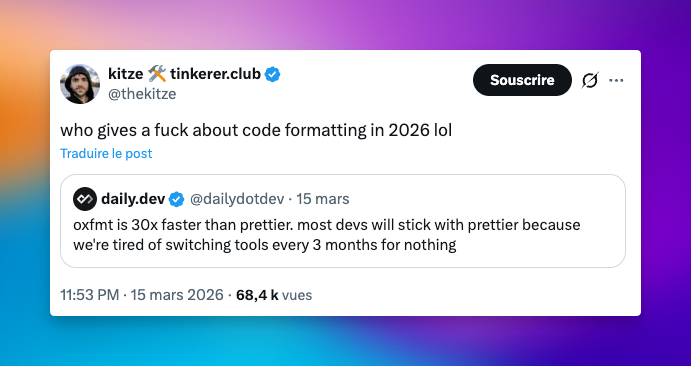
Coming back to linter: while Eslint and prettier have been around for a long time, they are notoriously slow.
This matters less if you use some kind of "Night shift" approach (letting your agents code while you sleep), but if you are like me and like to stay in the loop during the first phase of a new project or feature, this can be a big pain.
An improvement in speed can be the difference between staying focused, in a state of flow, or opening Twitter in a new tab, especially considering agents can implement huge chunk of code at once.
Also, because agents execute tasks faster than a human, small improvements in speed add up way faster. When your team would launch the linter 10 times a day, agents will launch it a 100 times more. They may also open way more PR, resulting in more CI/CD pipeline.
Choosing faster tech, like oxlint for linting or vitest for tests, is not just "cool because on the edge", it can actually impact your flow quite a lot.
Because of this, we are always chasing performance gains, and we have been moving our boilerplate Nestjs backend to SWC, which allowed us to use vitest instead of jest, while reducing the backend startup time. We are also closely monitoring Antfu's Oxlint integration plan.
Available knowledge
Lastly, unsurprisingly, frameworks and libraries are still key choices. Frameworks with a huge following are a big plus for LLMs, as their dataset will reflect that popularity.
Picking React over Svelte, TailwindCSS over Tamagui, and Nestjs instead of Deepkit may not be original, and it may even hinder your ability to try new things (which can be costly in the long run), but those are acceptable trade-offs if your goal is to maximise productivity.
But popularity is not enough: the quality of their documentation, their ease of use and the quality of their APIs are critical.
For example, framework concepts that are already hard to grasp for humans are not a good fit for agents, like React's infamous useEffect.
In our case, after careful consideration, we decided to stick with a classic stack for our boilerplate. But this criteria has to be balanced with the previous ones, and we are exploring the effect of switching Nestjs for Elysia or MikroORM for Drizzle.
I seldom use MCPs for documentation, even if Context7 is a great tool. More and more libraries are adding "copy markdown" buttons to their documentation, and I see my agents exploring the doc's website by themselves. It may be more token consuming, but that's one less complexity layer I have to maintain.
III. Up to date documentation is now mandatory
On the topic of documentation: it has always been the black sheep of many codebases: often lacking, seldom updated, etc.
The reason is simple: when you and your team work long enough on a project, everybody has a good vision of its structure, caveats and specific rules.
In short: at one point, nobody reads the documentation anymore.
The lack of documentation usually bites you when you start onboarding a new recruit, a problem mitigated via pair-programming and good communication.
We all know this is far from optimal, and as the CEO of a web agency, I've seen my share of old codebases that needed some upgrade, and I cherish documentation more than most people. Yet, when it's time to write it, it often goes to the bottom of my priorities.
But with Agents, you are continuously onboarding new recruits: you go from people actively reading the docs once per semester to several times per hour (or more).
This changes everything. What was an acceptable trade-off before for most companies now dramatically slows down AI adoption in the development team (this is similar to the AI tool adoption and the lack of a written culture in many companies).
You can't afford to explain the project objectives, context, structure, architecture every time you launch a new agent to fix a bug. Like for your tooling, updating the documentation must fully become part of your development loop.
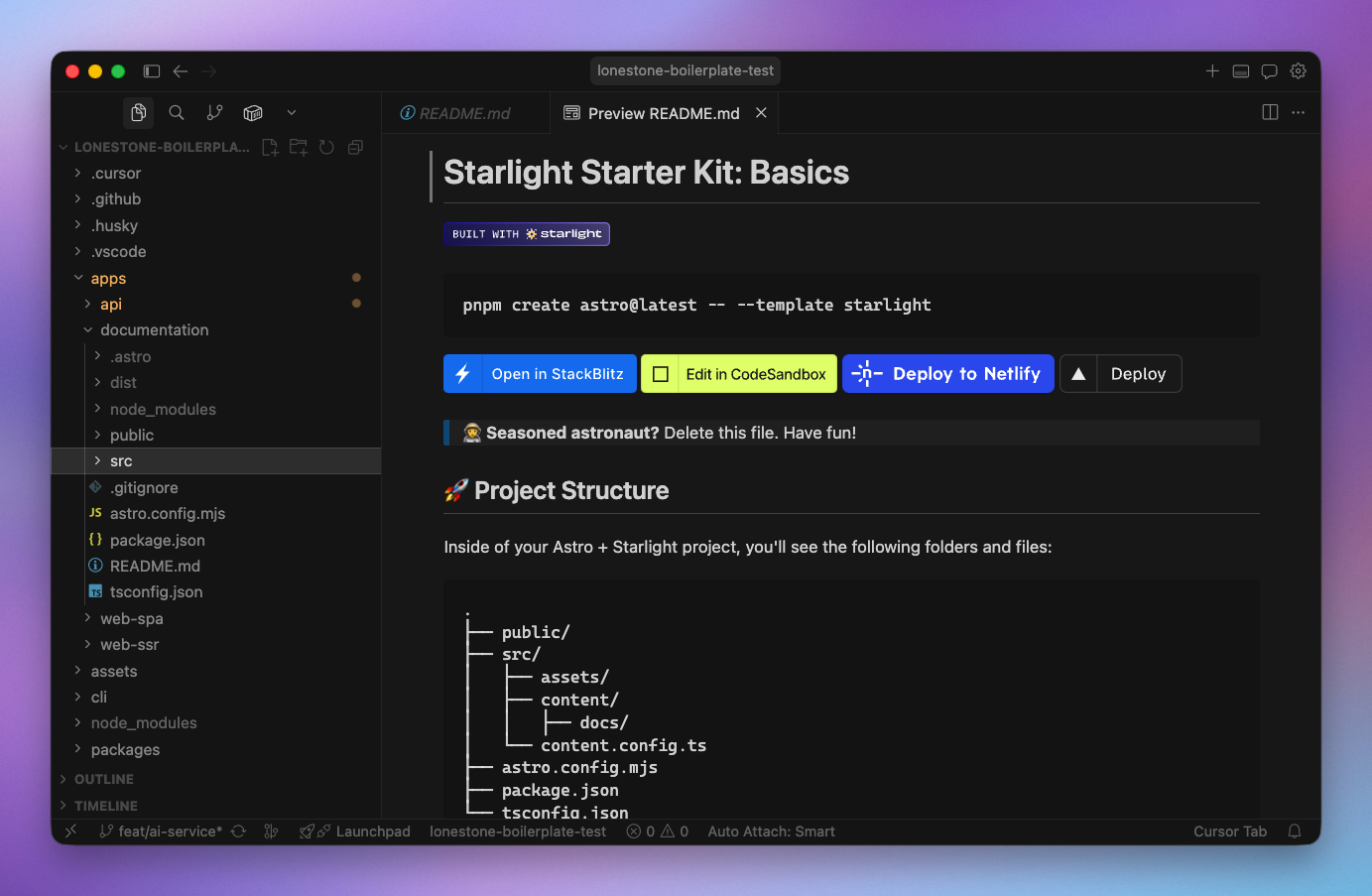
Thankfully, LLMs can help you in this loop process. I do not suggest you let them write it autonomously (more on that later), but can help a lot when it comes to target the files that need an update, prepare a first draft or for mundane changes, like editing a few lines in several files after changing a command.
What makes a good and complete documentation is out of scope here, as it depends a lot of the project and its context. But "get started" instructions, architecture choices, instructions for complex maintenance tasks and diagrams for the most complex process are always good starting points.
Also, remember to document the "why". Design choices are not taken at random, and the LLM — as your colleagues! — should be able to understand the reasoning behind them.
This prevents the agents from drifting away from your initial choices just because the examples they find on the internet are not following the same principles.
In our case, the design philosophy of our boilerplate is a core document that drives the team, and the agents, when making changes. We also have a "Why" section on top of most architecture and technological choices.
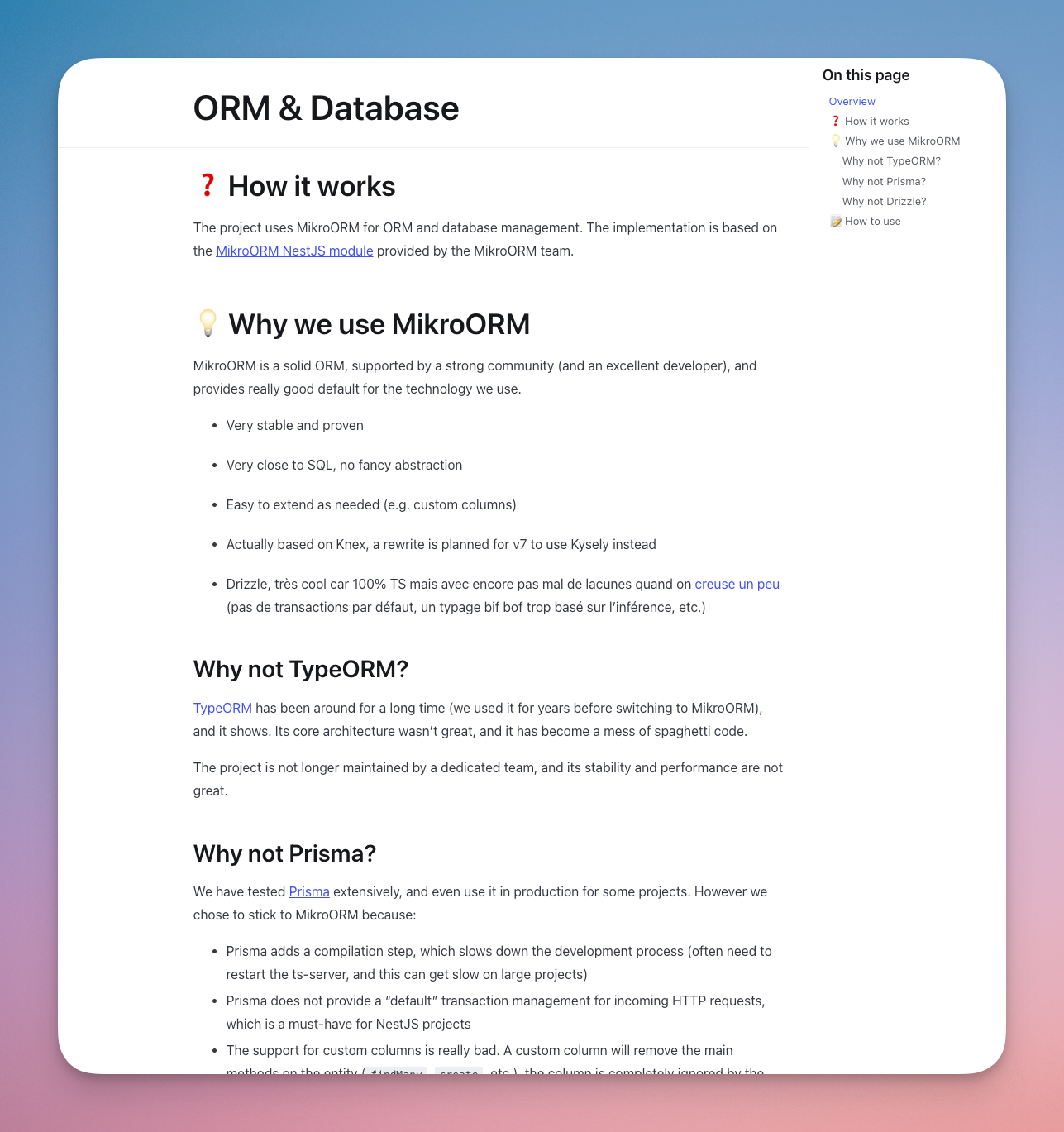
Also, while LLMs contexts are getting larger, grasping a large codebase at once is still out of reach. Markdown files serving as "meta view" and explaining the global architecture, especially domain level choices, will save you a lot of time.
Finally, think of those documents as a way to speed up the future agents (and developers): remember update them when you realise that they do not convey a clear enough picture of the project. Refrain from adding details only to your current agents, instead review the documentation so future agents can benefit from it.
Remember to create a rule / skill to ensure selected part of the documentation is kept up to date before a commit / release. LLMs are pretty good at this.
IV. Process, enforcing rules and providing custom tools
As with human co-workers, ensuring the rules are enforced is a big challenge. But I feel like this is easier with agents than it is with humans.
When automated, this is quite easy: running the linter or the typescript compiler does not require much effort.
Of course, as developers are notoriously lazy, we also rely on CI or Git hooks. Those kind of hooks are the bane of some developers (and I tend to prefer a pre-push hook) but with agents, who do not care much, they are great tools to avoid overloading your CI.
Also, remember that agents tend to forget things, especially as their context is filling up. They may run your tests 95% of the time, but you want to aim for the 100%. The simple pre-push hook (using Husky) that we use in our boilerplate saved me a couple times.
And there are the tasks that we, as human, tend to neglect.
Usually because they are not fun. There is the documentation update part, as stated above, or sticking to a specific commit message style (for a nice automatic semver). Those should be caught during the review process, but they often slip past human reviewers.
Again, agents do not mind mundane, boring tasks. And most LLMs providers and IDEs now provide efficient ways to solve this issue:
- Cursor rules - in my experience they are not always picked up correctly. I tend to use the
always applysetting for the most important of them, now that LLMs have enough context that a few files do not matter ;
Some rules I use daily:
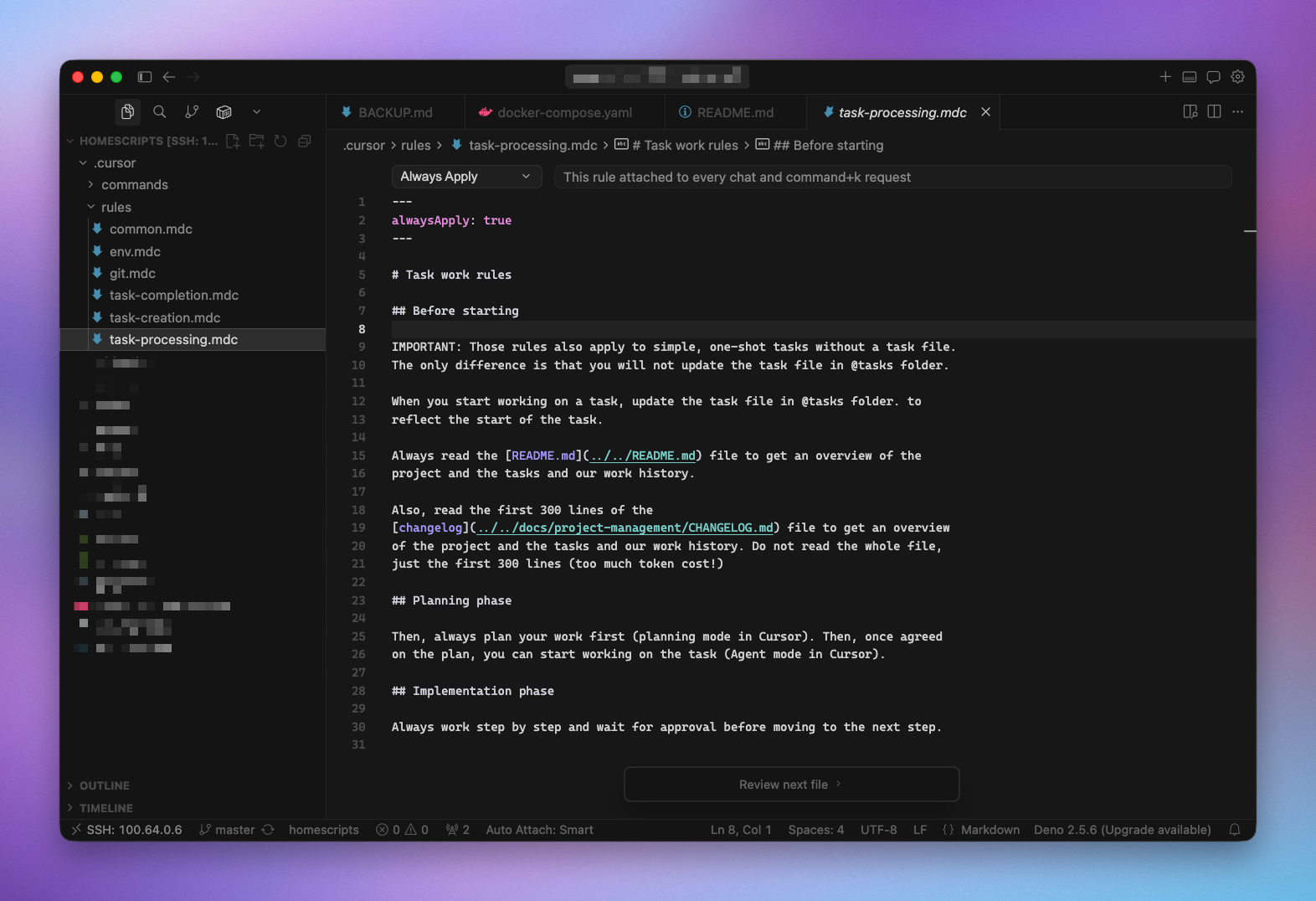
prepare-commita rule that checks the relatedCONTRIBUTING.mddocumentation and read thegit diffto prepare a good commit messagelanding-the-planea rule triggered when a task is finished, instructing the agent to check several points, like documentation updatetask-creation,task-processingandtask-completionwhen I work in "spec driven development" mode
Rules versus documentation
Rules and Skills are great, but many developers use them to define the process and even the codebase documentation.
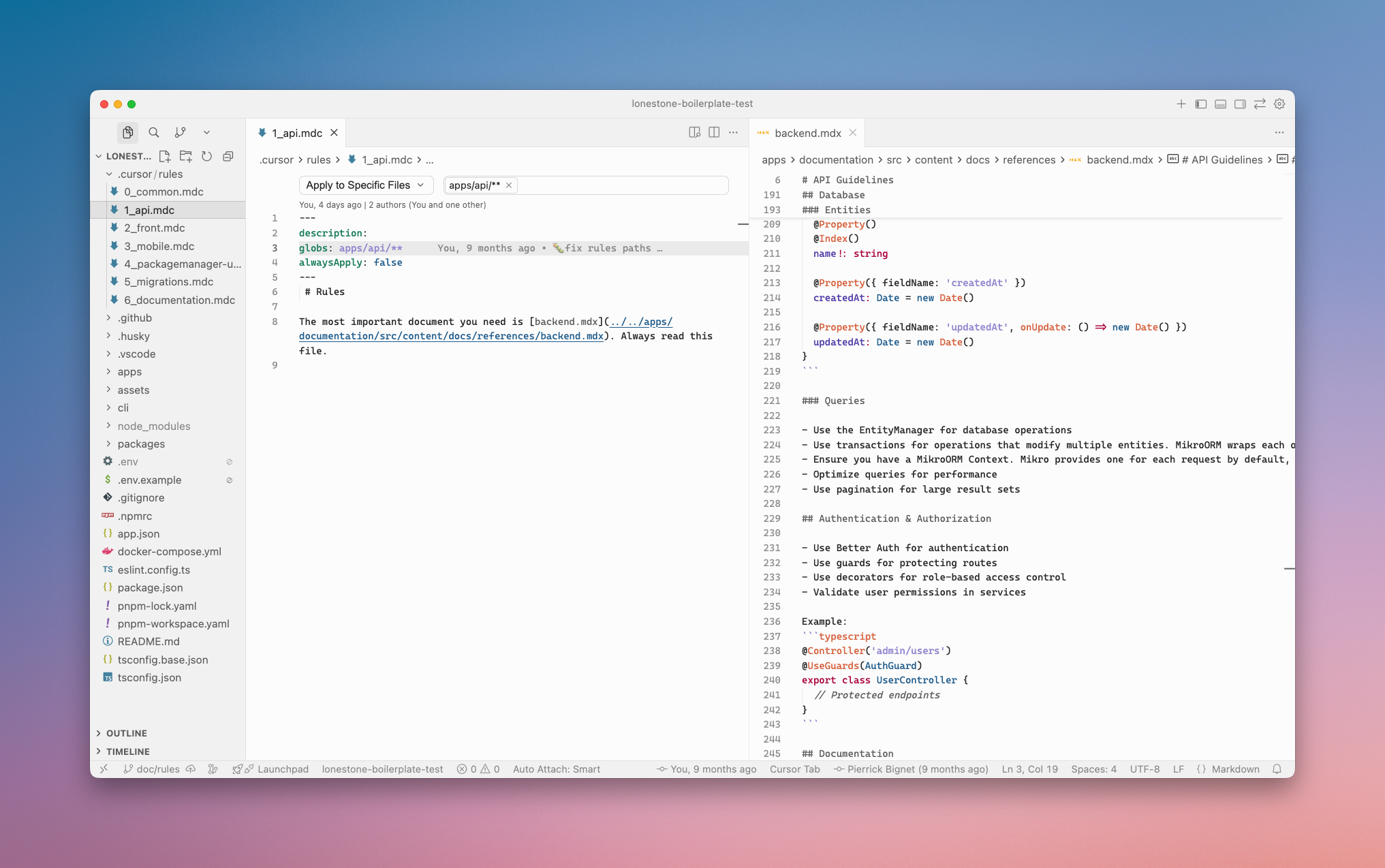
Instead, I strongly suggest using those files only as routers or simple checklist, and point the agents to the actual documentation, used by both humans and LLMs.
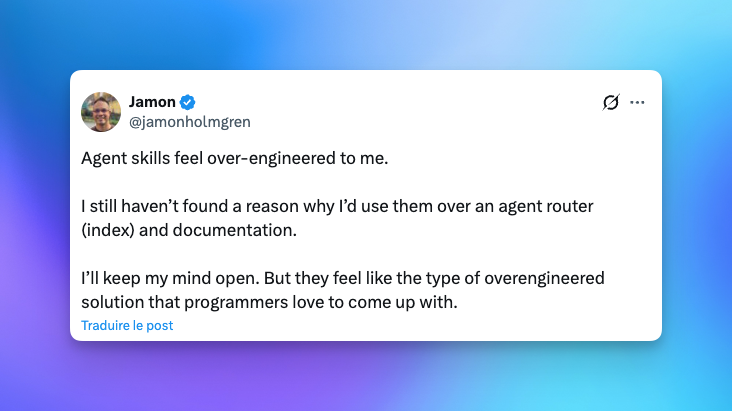
The other advantage of using your own files for documentation is that you get a "provider" agnostic approach: switching from Cursor to Claude Code or Codex is simple enough if your rules only contain the bare minimum. As those products and technology evolve quickly, staying agnostic does not create (too much) tech debt.
Provide tools
Everyone loves tools. Repetitive tasks like resetting and seeding a database should not require digging into the project's documentation, and should instead be listed in your package.json file.
As for everything else, being as deterministic as possible will save you a lot of time. A common use-case is database migrations generation: from our experience, LLMs really love to create migration file manually. But this can lead to a ton of problems, like not updating metadata files (such as MikroORM database snapshot) or date mismatch.
So add a db:migration:create script in your package.json, and ensuring your agent uses this method when needed (via a skill/rule).
---
description: Working or creating database migrations
alwaysApply: false
---
Migrations should be created using the `mikro-orm` CLI, after modifying any entity file.

```bash
cd apps/api
pnpm db:migrate:create
The rule we use in our boilerplate to ensure agents are not creating migrations manually
Saving money — by saving tokens — can also be achieved by using bash scripts instead of relying on your agent to re-create a command for the hundred time. Those scripts used to be hard to maintain (akin to documentation), but that's another strength of LLMs.
V. Show, don't tell
Provide examples
Writing an extensive documentation is a long process, and while LLMs can ingest it faster than a human, the maintenance cost of such a documentation is often high.
Also, while describing is fine, you could explain to me how your codebase is setup all day long and my mental model will still differ from the truth. Words are like that, it's extremely time (and token) consuming to explain things perfectly.
Instead, like for human collaborators, use a "Show, don't tell" approach.
In addition to your documentation and rules, the more "real code" with actual business logic you can provide, the better. Use those as references for the agents, by pointing at them in your rules/skills or directly in your documentation.
It could be design patterns that you want to enforce, a specific folder structure (atomic design vs feature based), etc.
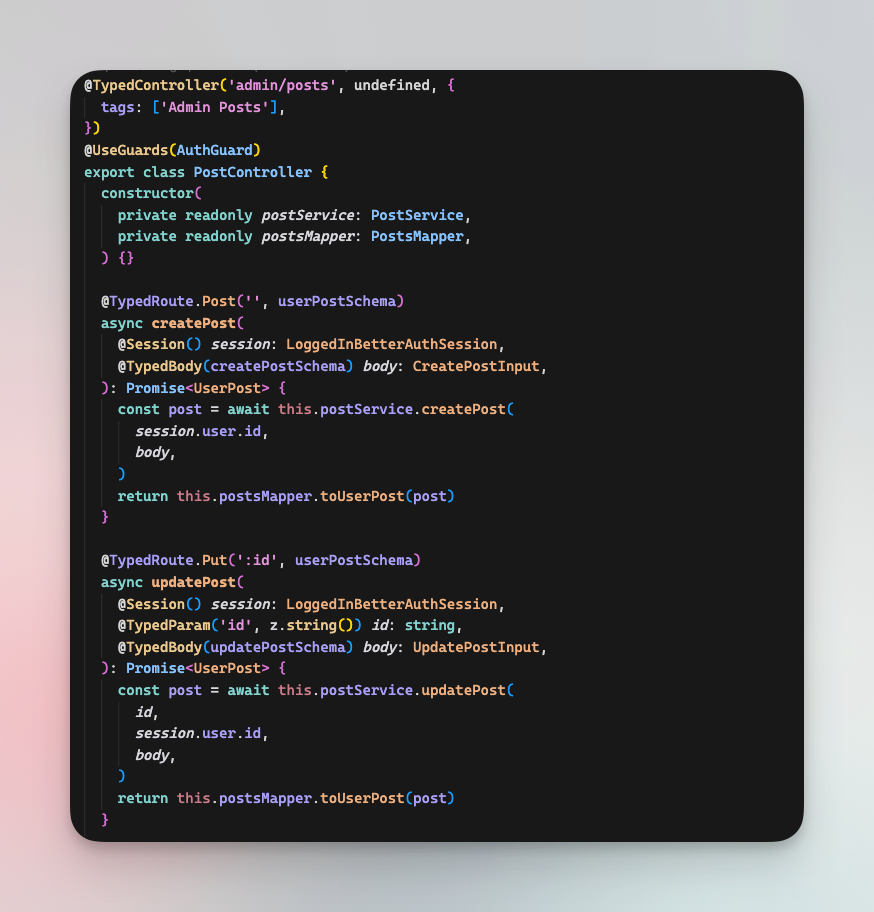
For our boilerplate, we decided to bundle the example directly in the repository. This allows us to run typechecking, lint, build and tests against those files directly (ensuring they are kept in sync), and it allows developers and agents to have working examples to use as base.
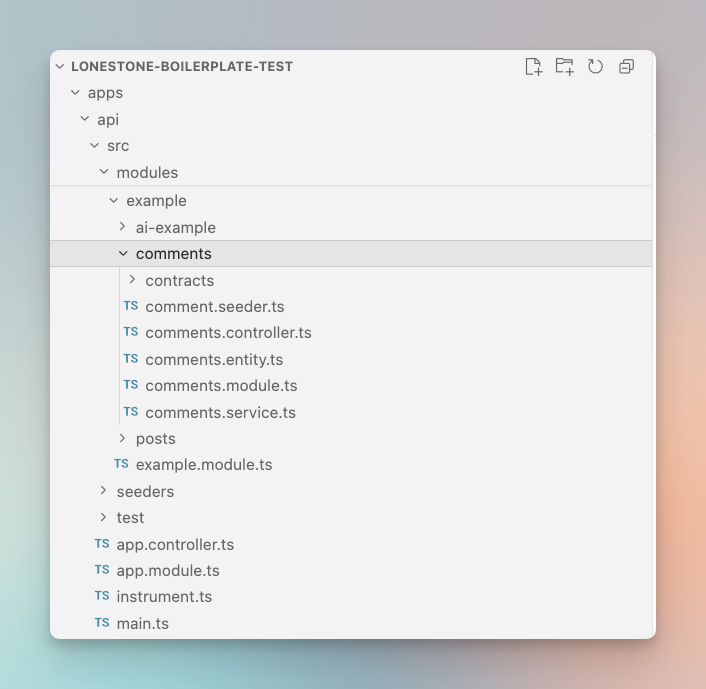
In our case, despite mostly following Nest.js structure, we are adding some specific mandatory files (*.contract.ts, *.mapper.service.ts). Those are clearly defined in the doc, but how "we like" them is not.
So, more than simply "duplicating" the documentation, those examples convey our
coding style in much more details than any documentation could.
They are also valuable when it comes to describe how the different technology and framework of your stack are supposed to work together, like how deep you integrate your ORM within your stack.
Provide reusable code
In addition to examples, our boilerplate contains ready-to-use modules and utils that we deemed useful to more than 80% of your projects.
Those range from an emailing service abstraction to the authentication system, which are baked into the code.
For less used features we use a system of addons, which are guides written for human and LLMs explaining how to add a specific feature.
Those can be used automatically by agents, but for now we tend to invoke them via a add teams @link-to-doc. Those are meant as step-by-step guides, and the more we add to our boilerplate documentation, the more features we can automate while still ensuring that the code respects our quality standard and feels like "ours".
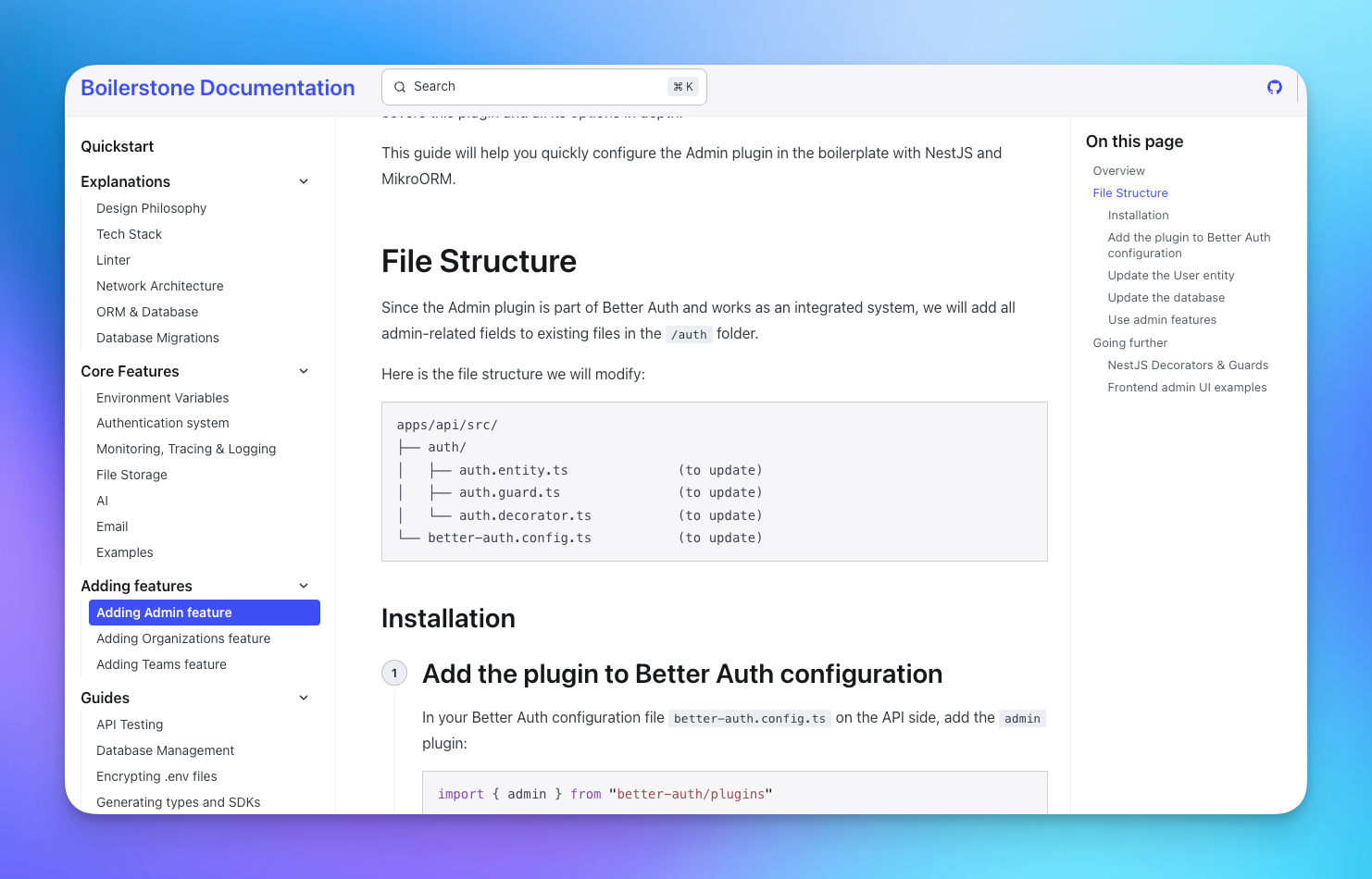
addons guides follow the same structure, including all the necessary plumbing (add an import there, change a module there, etc.)Final note: do not delegate too much
Structuring your codebase, choosing the tech and frameworks, writing documentation are all tasks that should not be delegated to LLMs. Those are the crucial points (with writing task specifications) that will allow you to automate as much work as possible. And LLMs are pretty bad at all of them.
For example, do not trust LLMs when it comes to picking technologies and assembling them together. In my experience, LLMs are not great at that job, and they are even worse at "plumbing"— connecting framework and tools.
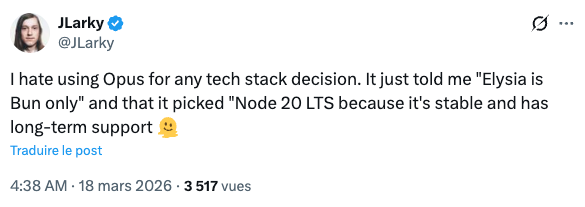
tsconfig file. That's in this moment that you realise the lack of true intelligence of those tools.First, their choice are based on the amount of data they were trained on, so while you will probably end up with an "OK" stack for a React project, things get worse when it comes to more specific libraries and technology, or when to want to use something else than the "leader" (e.g. UnoCSS instead of Tailwind).
Second, LLM training is always slightly out of date and they base their judgement on their training data more than on current trends. I often had the LLM chose an unmaintained library, simply because there is a lot of documentation or Stackoverflow questions about this tech in their data. On the other hand, I'm always quite picky about last release date and repo activity.
Because of this, picking the right version for each tool is also something you will want to do manually, else you may end up with really old or even ghost versions. This is even more critical with libraries depending on each others and are updated frequently (such as Nest.js or Opentelemetry). This may improve as "web browser" tools get cheaper, allowing LLMs to directly check the repositories, but in the meantime you are better off doing it yourself.
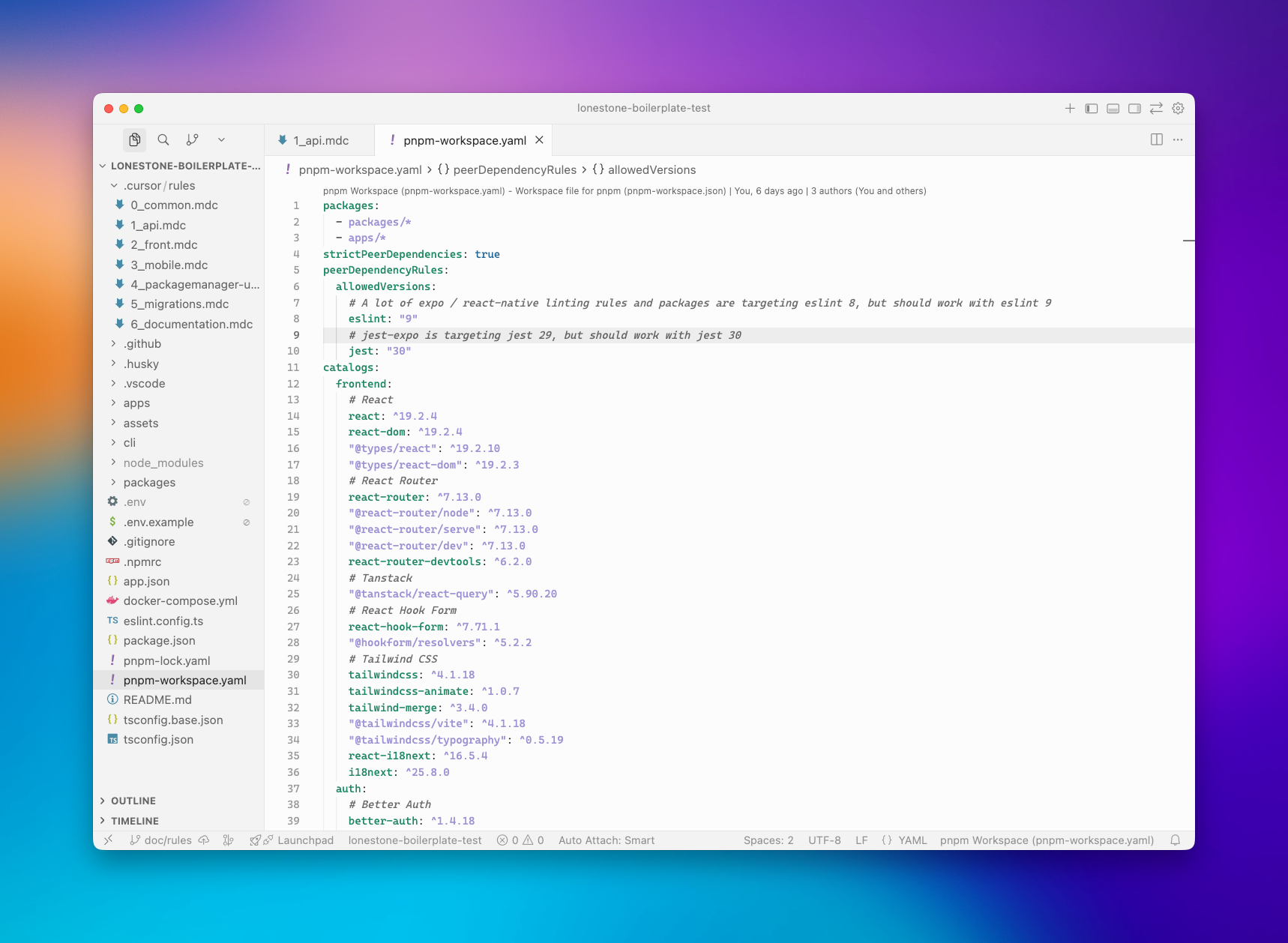
And more than anything else, what matters is that the advantages and drawbacks of all the available tech are not obvious to a LLM (nor to a junior dev).
This has always been a critical part of our job, one you did not outsource to a junior. Making the wrong choice can have costly consequences, so don't outsource it to a machine, which does not have your experience, your context awareness nor your vision.
The same reasoning goes for your code structure, your linting rules, your commit hooks: take the time to choose what's right for you team and your project. Those strategic decisions will matter more and more as your project grows. LLMs may want to overcomplicate things, or will not have the context to consider a layer of abstraction that will save you countless hours down the road.
Trust your experience, and use your best judgement.
Conclusion - AI assisted engineering is all about continuous improvement
I'll probably write a whole piece about that. As with every (semi) automated system, the more care you put in designing your system, the more benefits you'll reap.
We are living an era of constant changes, when models and the tools around them shift constantly. I really think one should not waste too much time trying to follow all the latest trend, and instead should build strong, agnostic foundations that would work with any Claude Code alternative out there.
Instead of throwing everything into the trash for each new project, we continuously improve on it. Each new project (there is at least one more each week) is an opportunity to test its limits, being technical or in terms of agents usability.
I strongly believe that AI should allow us to ship not only faster, but better software. Keeping the same foundations allow us to build more and more tooling and process around them, like CI, scripts or even less direct integrations such as Sentry and Langfuse (and their interactions with AI). We go deeper, not broader, and I feel that's a good thing.
So go build your own toolbox, iron it out, find the tools that you want to use and actually use them. Ship more complex, beautiful, performant apps, not just more of them.